A text lands about your account. This series walks you through the whole moment: what to check, what to do if you already tapped, and how to make the check one tap next time.
3red flags Claude checks for
5tells you can spot by eye
4things to do if you tapped
Pick a part to jump to it
Why this series
Spotting a scam is only the first question.
I got one of these myself: a "Security Notification" from a Gmail address, telling me to call a number about my account. I pasted it into Claude, and its answer became Part 1.
But a scam text raises more than one question, and they come in order. Is this real? What if there's no AI handy? What if I already tapped? And how do I stop doing this by hand every time? On X, each answer was its own image. Here they sit together, with more detail on every step, so you can work through the whole thing once and be ready for the next one.
PART 01 OF 04
Before you tap
Odd text about your account? Find the red flags first.
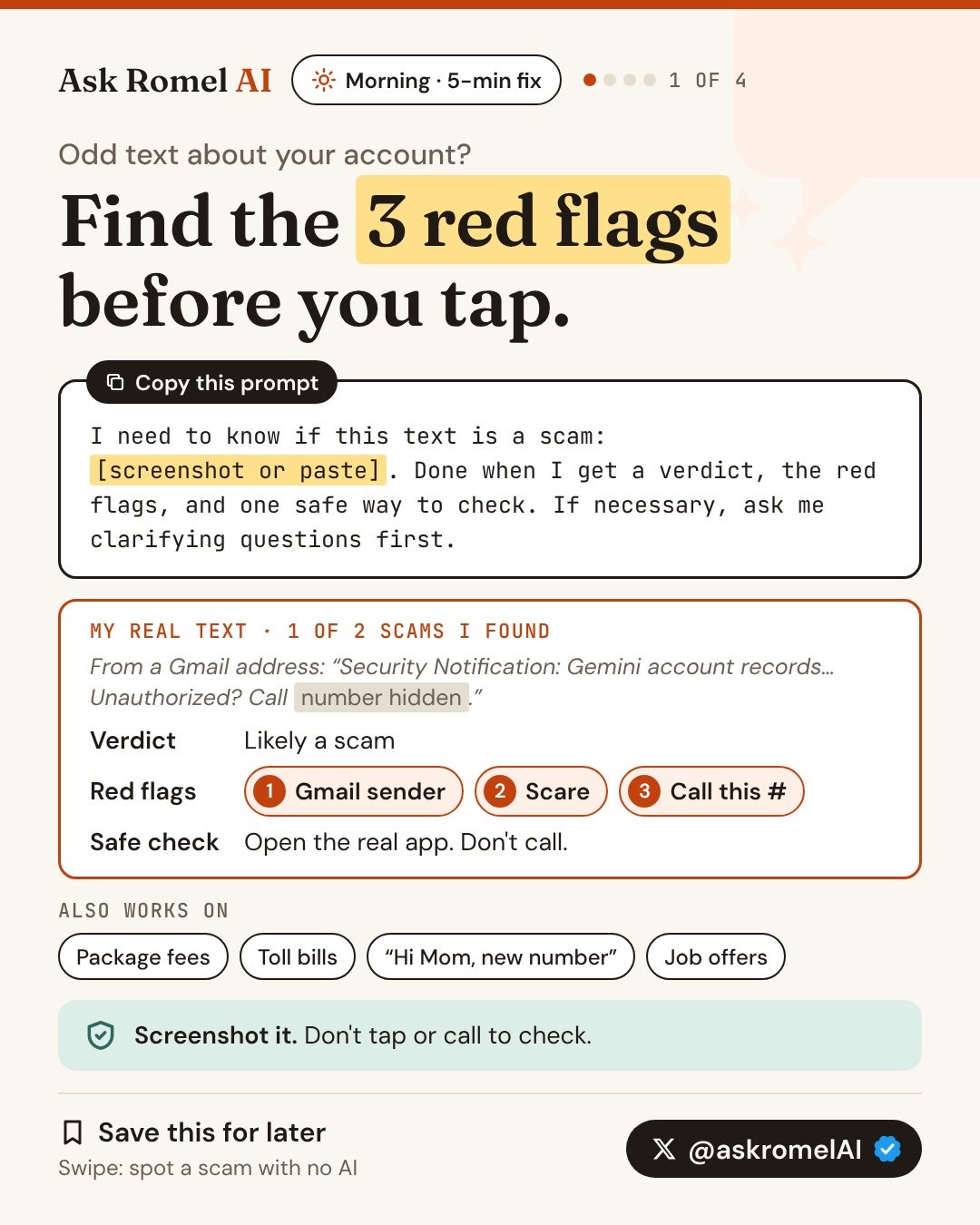
The worst time to judge a text is the moment it arrives, because that's exactly when it wants you to act. So hand the first look to Claude. Paste the text or a screenshot, and ask for three things back: a verdict, the red flags it found, and one safe way to check. Asking for all three is what makes the answer useful. "Is this a scam?" alone gets you a yes or no. This gets you a yes, a reason and a next step.
The scam check prompt
I need to know if this text is a scam: [screenshot or paste]. Done when I get a verdict, the red flags, and one safe way to check. If necessary, ask me clarifying questions first.
What it found in my real text
1
A Gmail sender"Security Notification" from a free Gmail address
A real company writes from its own address, not a free personal one. That alone is a reason to stop.
2
A scare"Unauthorized?"
Fear makes you move before you think. A message built to panic you is a message to slow down for.
3
A number to call"Call [number]"
The number in the text goes to whoever sent it. The real support number lives in the real app or on the company's own site.
Claude's verdict: likely a scam. Its safe check: open the real app yourself. Don't call.
The same prompt works on
Package feesToll bills"Hi Mom, new number"Job offers
The 5 tells of a scam text, so you can check by eye.
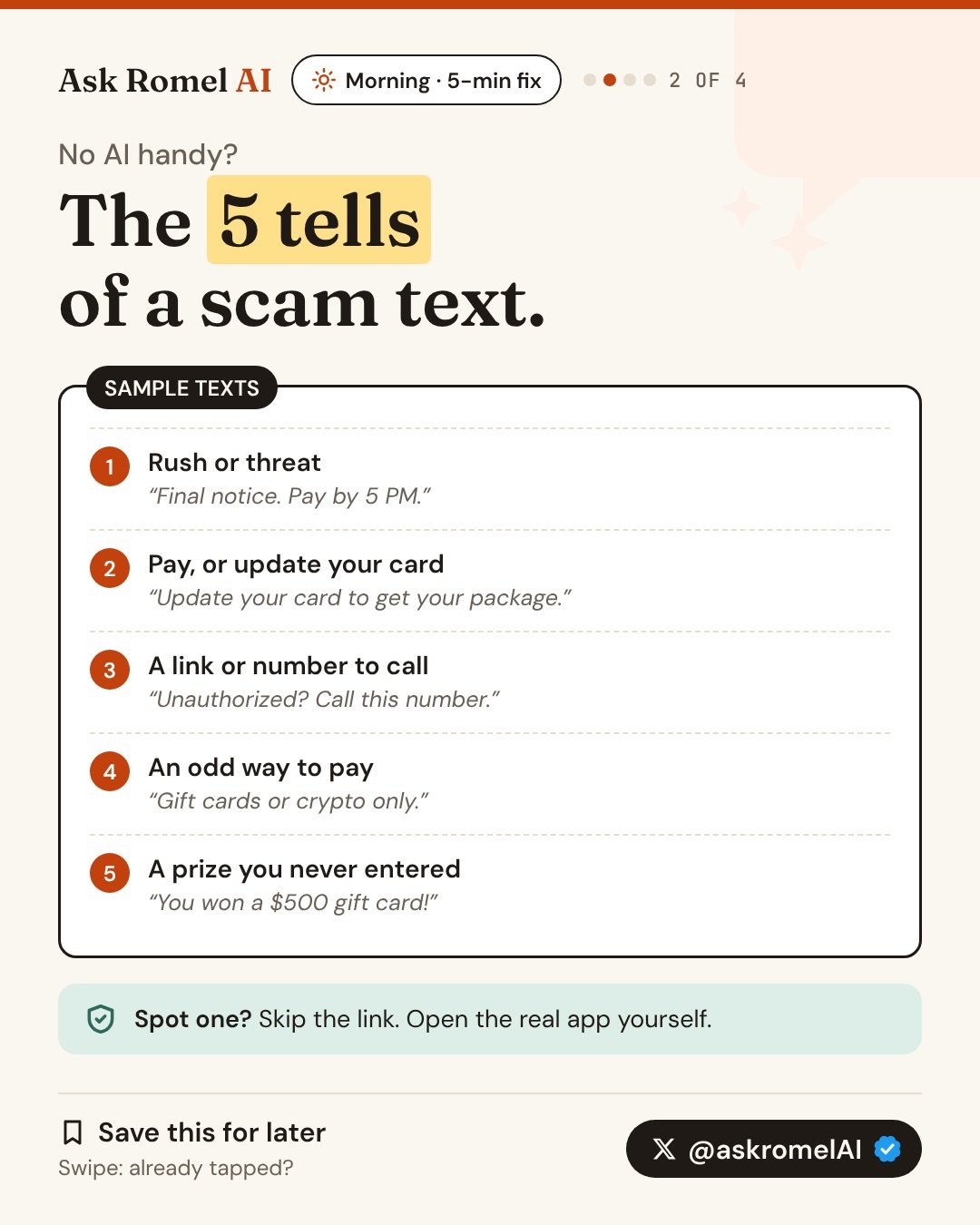
You won't always have Claude open when a text arrives. The good news is that scam texts lean on the same few moves over and over. Learn these five and most of them give themselves away in a glance. One tell is a reason to slow down. Two or more, and you can treat it as a scam.
1
Rush or threat"Final notice. Pay by 5 PM."
A deadline that leaves no time to check is the point. Real deadlines survive a phone call to the real company.
2
Pay, or update your card"Update your card to get your package."
Asking for card details by text is the goal of the whole message.
3
A link or number to call"Unauthorized? Call this number."
Both lead to the sender. Go to the app or site you already use instead.
4
An odd way to pay"Gift cards or crypto only."
Real companies don't ask for gift cards or crypto. This one is close to a sure sign.
5
A prize you never entered"You won a $500 gift card!"
If you didn't enter, you didn't win. The prize is the bait.
It happens. Do these 4 things today, in this order.
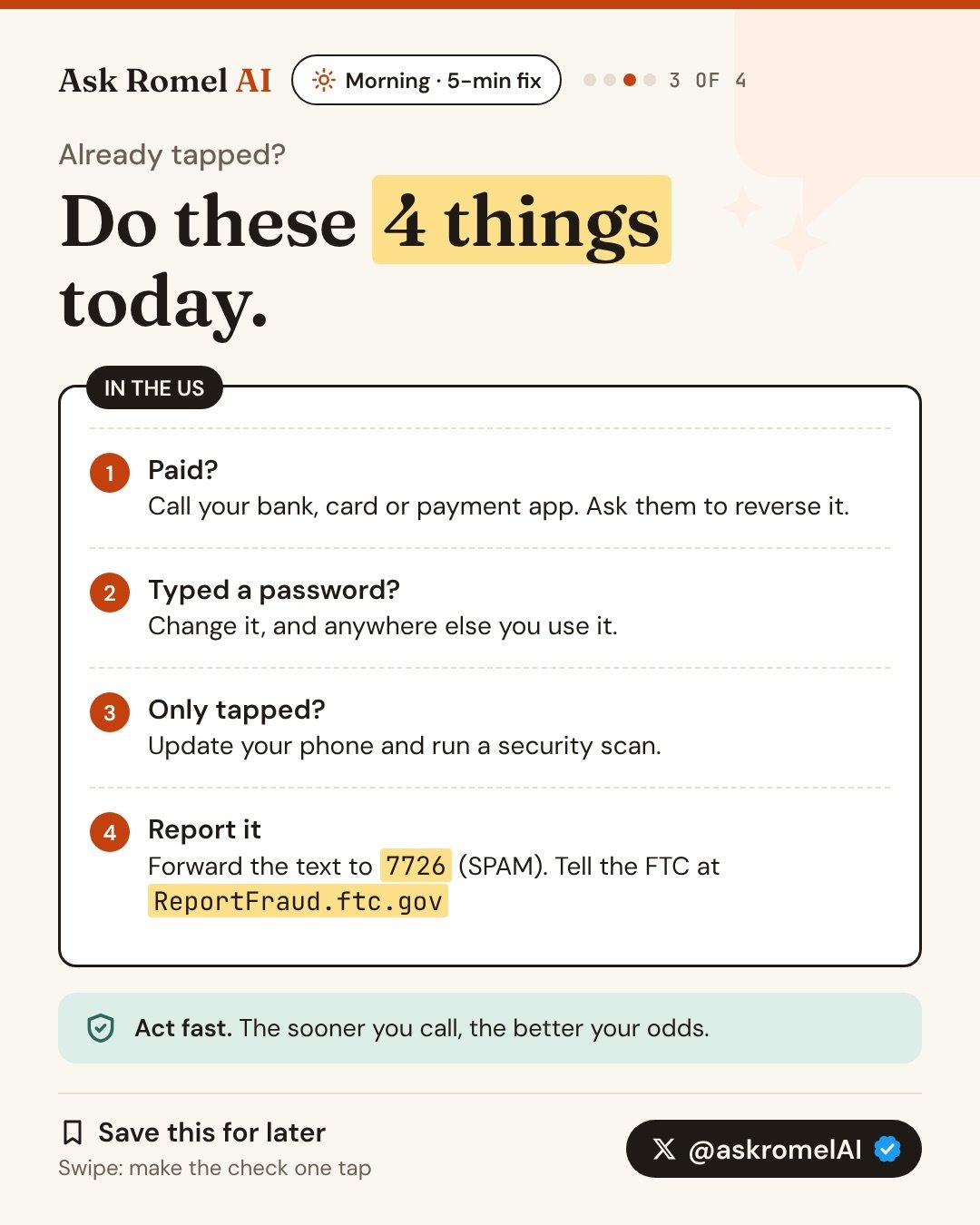
Tapping a link isn't the end of the story, and the steps are simpler than they feel in the moment. Start with whichever line matches what you did, and work down. Money comes first because it's the most time-sensitive. These steps are for the US.
1
Paid?
Call your bank, card or payment app. Ask them to reverse it.
2
Typed a password?
Change it, and change it anywhere else you use the same one.
3
Only tapped?
Update your phone and run a security scan.
4
Report it
Forward the text to 7726 (SPAM). Tell the FTC at ReportFraud.ftc.gov.
Make the check one tap, so you never type the prompt again.
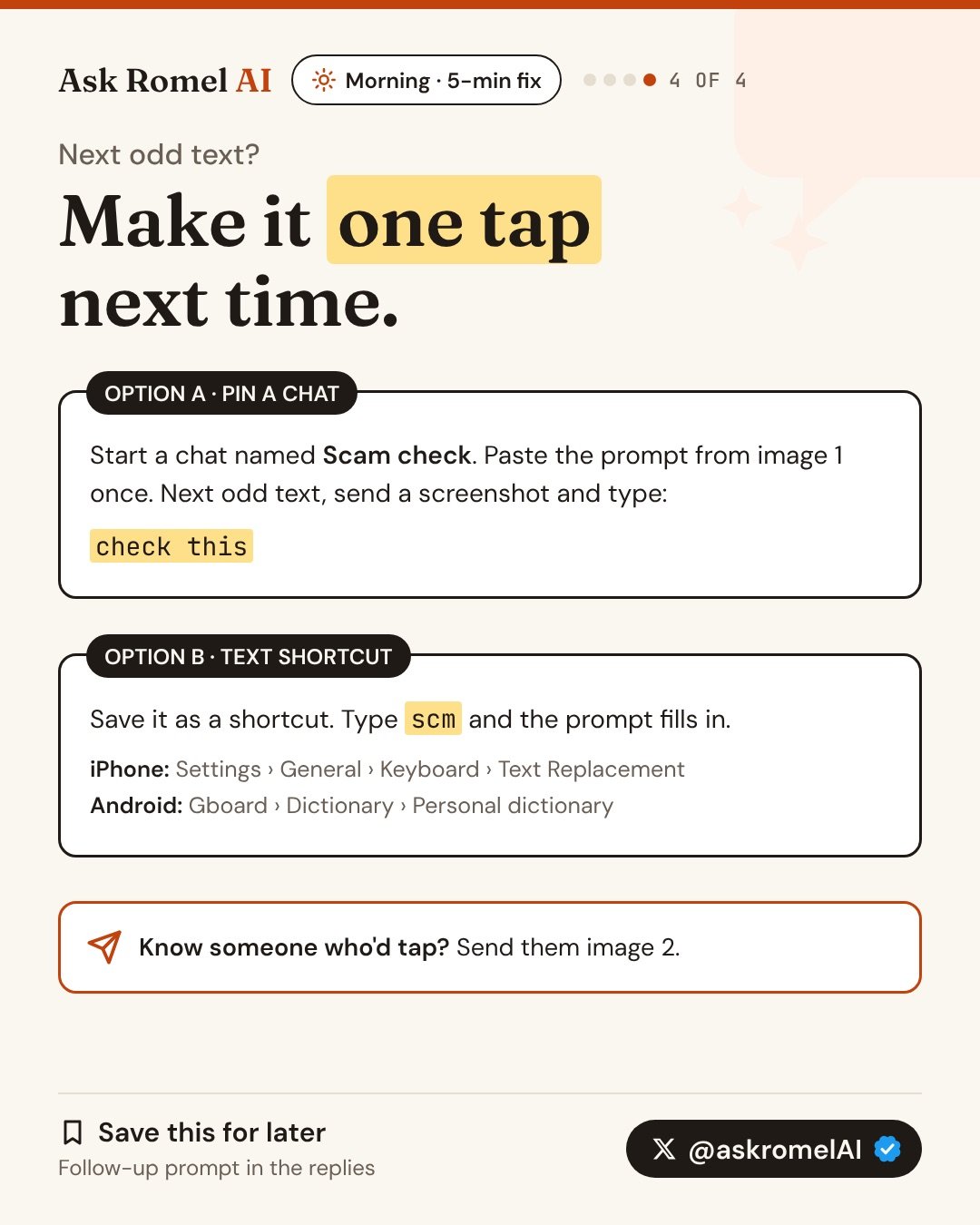
Part 1 works, but only if you remember the prompt when a text arrives. The fix is to set it up once. Pick whichever of these suits you. Both take about a minute, and after that, checking a text is one tap.
Option A · Pin a chat
Start a chat named Scam check and paste the prompt from Part 1 once. Next time an odd text arrives, send a screenshot to that chat and type:
The one-tap check
check this
Option B · A text shortcut
Save the Part 1 prompt as a shortcut. Then type scm anywhere and the whole prompt fills in.
i
iPhone
Settings › General › Keyboard › Text Replacement
A
Android
Gboard › Dictionary › Personal dictionary
Tap to enlarge
You finished the series. Get the next one in your inbox.
Join free for one useful AI tip a week, the Claude Glossary Playbook, and every tool on the site.
One email a week. Leave any time.
You're in. Here's what happens next:
Check your inbox. Your ebook and a sign-in link are on the way.
 Ask Romel