
Ask Romel AI

Series 7 days Afternoon · one skill a day

One holiday week. Seven new Claude skills.

Thanksgiving week is full of little jobs. Each day, you learn one Claude skill and use it on one of those jobs. Each skill builds on the day before.

7skills, one a day
2days out so far
5days still to come
Part 1: Ask Part 2: Show Pick a part to jump to it

Why this series

Why these 7 days go together

The best way to learn a tool is to use it on a real job. And Thanksgiving week is full of real jobs. Who brings what? Where does the turkey go? What do I buy on Black Friday?

So each day of this week teaches one Claude skill, and you use it on one holiday job. Each day is written like a recipe card: the skill, how long it takes, what you need, and the prompt to copy.

The skills go in order, and each one builds on the day before: ask, show, make, save, check, connect, teach. On X, each day is its own post. Here they're one week, start to finish. Do one a day, and by the end of the break you'll really know Claude.

PART 01 OF 07

Ask

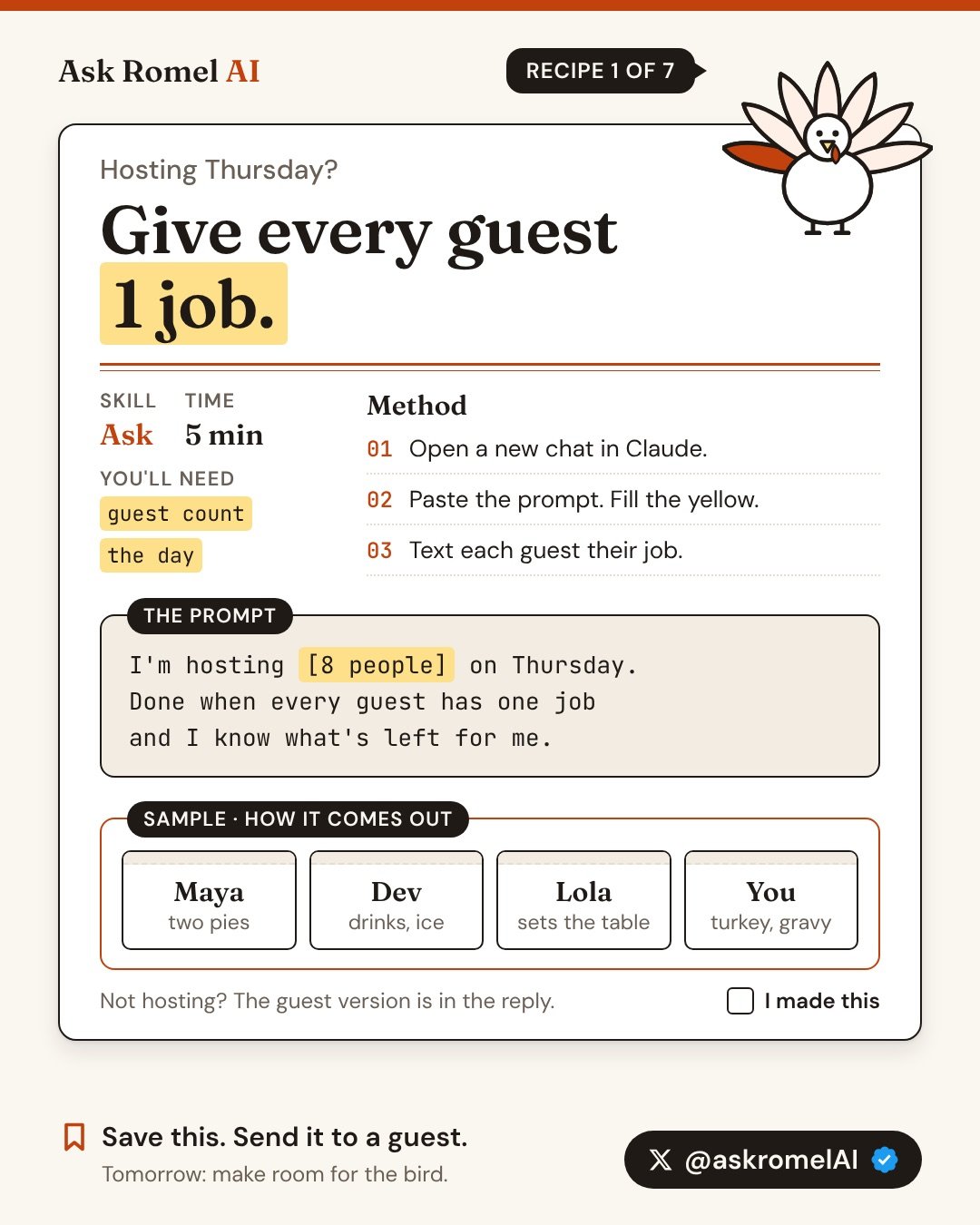
Day 1. Hosting Thursday? Give every guest one job.

The first skill is the easiest, and it's the one most people skip: ask for one clear thing, and say what "done" looks like. Don't say "help me plan Thanksgiving." Tell Claude how many people are coming, and what you want at the end.

It takes about 5 minutes. You need two things: how many guests, and which day.

Open a new chat in Claude, paste this prompt, fill in the yellow part, then text each guest their job.

The hosting prompt
I'm hosting [8 people] on Thursday. Done when every guest has one job and I know what's left for me.

You get back a short list. Each guest gets one job, like two pies, drinks and ice, or setting the table. Then you see what's still left for you.

But typing out everything you need takes forever. Tomorrow, you won't type at all. You'll just show Claude.

NEXT · PART 02Day 2. Send one photo. Get a whole plan back.
Tap to enlarge

PART 02 OF 07

Show

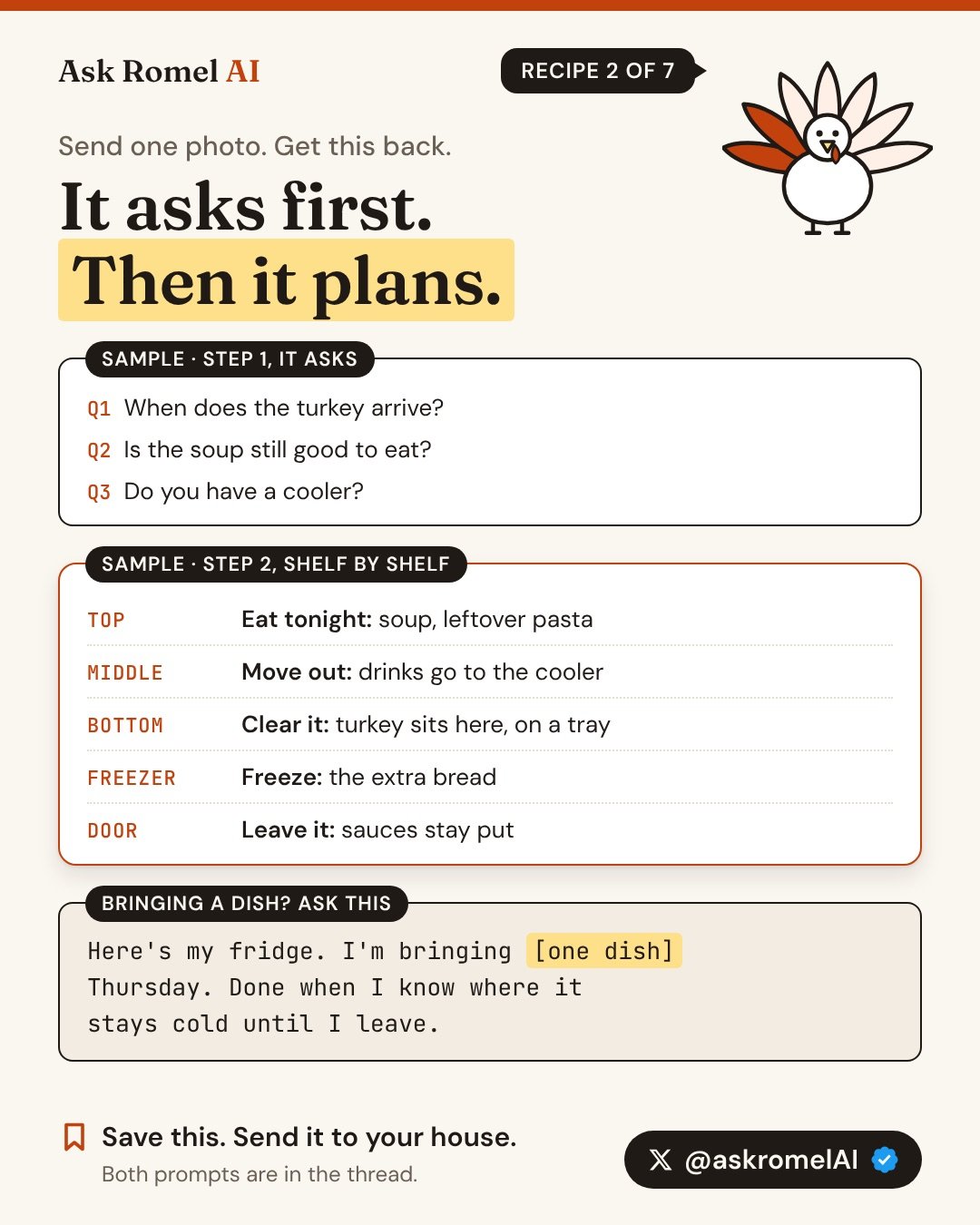
Day 2. Send one photo. Get a whole plan back.

Yesterday you typed. Today you don't have to. Take one photo of your fridge and send it to Claude.

Watch what it does first: it asks you a few questions. When does the turkey arrive? Is the soup still good? Then it makes a plan, shelf by shelf. What to eat tonight, what goes in a cooler, and where the turkey will fit.

That's what happens when you end a prompt with "If necessary, ask me clarifying questions first." Claude asks before it guesses.

Bringing a dish? Ask this
Here's my fridge. I'm bringing [one dish] Thursday. Done when I know where it stays cold until I leave.

But a plan inside a chat gets lost the moment you scroll. Tomorrow, you'll make something you can keep.

NEXT · PART 03Day 3. Make something you can keep.
Tap to enlarge

PART 03 OF 07

Make

Day 3. Make something you can keep. Coming up

Get each part the morning it drops.

PART 04 OF 07

Save

Day 4. Save what you'll use again. Coming up

Get each part the morning it drops.

PART 05 OF 07

Check

Day 5. Check what Claude gives you. Coming up

Get each part the morning it drops.

PART 06 OF 07

Connect

Day 6. Connect your own apps. Coming up

Get each part the morning it drops.

PART 07 OF 07

Teach

Day 7. Teach Claude how you like things. Coming up

Get each part the morning it drops.

You finished the series. Get the next one in your inbox.

Join free for one useful AI tip a week, the Claude Glossary Playbook, and every tool on the site.

More series like this one land on X first.

Follow me on X for more

Free ebook: The Claude Glossary Playbook

Get it