
Ask Romel AI

Series 4 parts Morning · 5-min fix

One fake text. Four steps so it never fools you.

A text says something is wrong with your account. Is it real? This is one story in 4 parts. Each part answers the next question you'll have.

3warning signs Claude looks for
5clues you can spot yourself
4steps if you already tapped
Part 1: Before you tap Part 2: No AI handy Part 3: Already tapped Part 4: Next time Pick a part to jump to it

Why this series

Why these 4 posts go together

It started with a real text I got. It said "Security Notification" and told me to call a number about my account. Was it real? I asked Claude, and it said no. That's Part 1.

But answering one question raised three more. What if Claude isn't open when the text shows up? What if I had already tapped the link? And do I really want to do this by hand every time?

So I made one post for each question, in the order you'll have them. On X they showed up as four separate pictures. Here they're one story. Read them top to bottom, and the next fake text won't fool you.

PART 01 OF 04

Before you tap

Is this text real or fake?

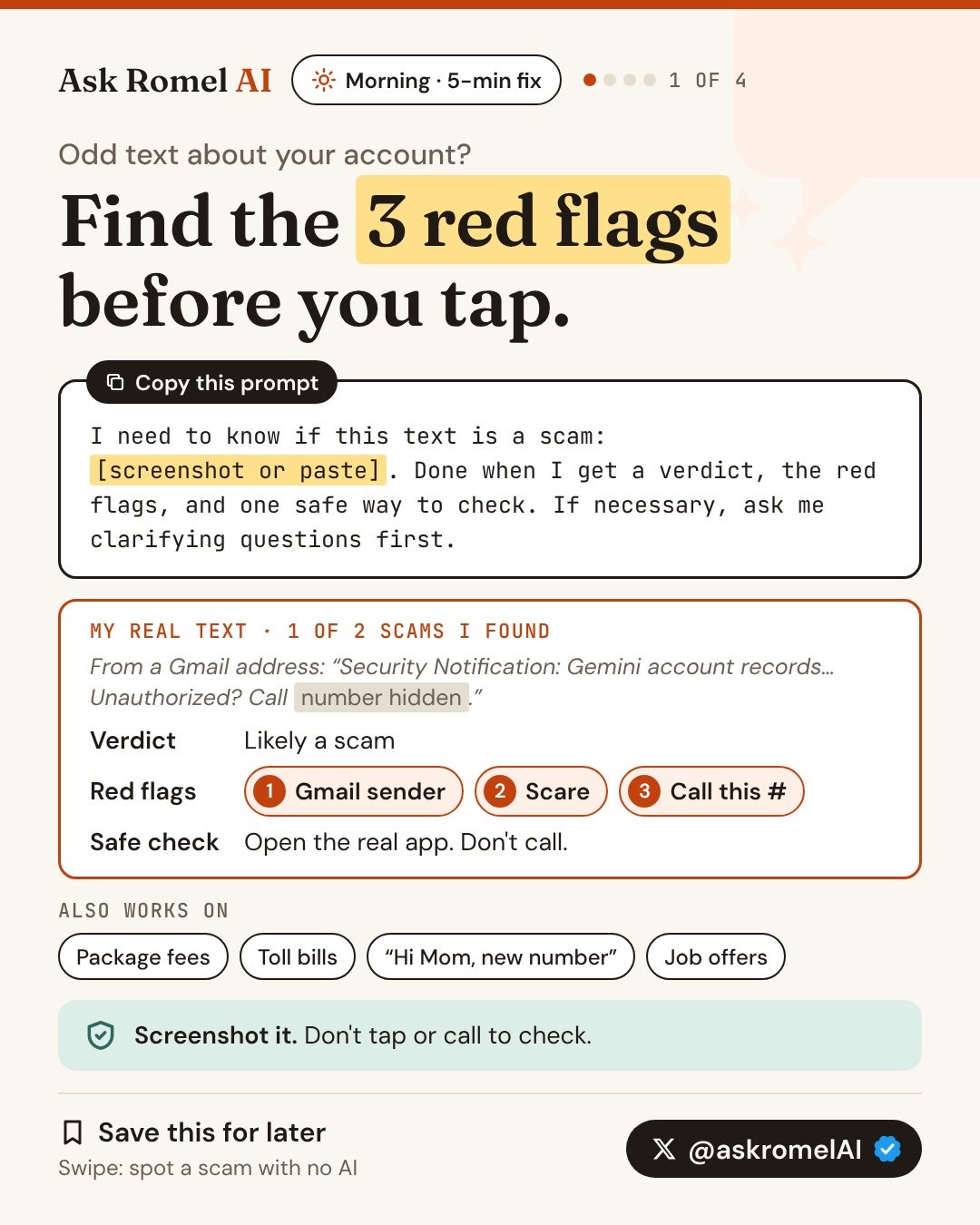
A fake text wants you to act fast. So don't. Take a screenshot and let Claude look at it first.

Ask Claude for three things: Is it a scam? What are the warning signs? What's one safe way to check? Asking for all three is the trick. "Is this a scam?" only gets you a yes or no. This gets you a yes, the reason, and what to do next.

The scam check prompt
I need to know if this text is a scam: [screenshot or paste]. Done when I get a verdict, the red flags, and one safe way to check. If necessary, ask me clarifying questions first.

What Claude found in my text

  • 1
    It came from a Gmail address"Security Notification" from a regular Gmail account

    Real companies send messages from their own address. A free Gmail address is a big warning sign.

  • 2
    It tried to scare me"Unauthorized?"

    Scary words make you rush. When a message tries to scare you, slow down.

  • 3
    It gave me a number to call"Call [number]"

    That number goes to the scammer. The real number is in the real app or on the company's own website.

Claude's answer: likely a scam. Its safe check: open the real app yourself. Don't call the number.

This prompt also works on texts about

Package feesToll bills"Hi Mom, new number"Job offers

But what if Claude isn't open? The next fake text could show up while you're in line at the store.

NEXT · PART 02Claude isn't open. Can you still tell?
Tap to enlarge

PART 02 OF 04

No AI handy

Claude isn't open. Can you still tell?

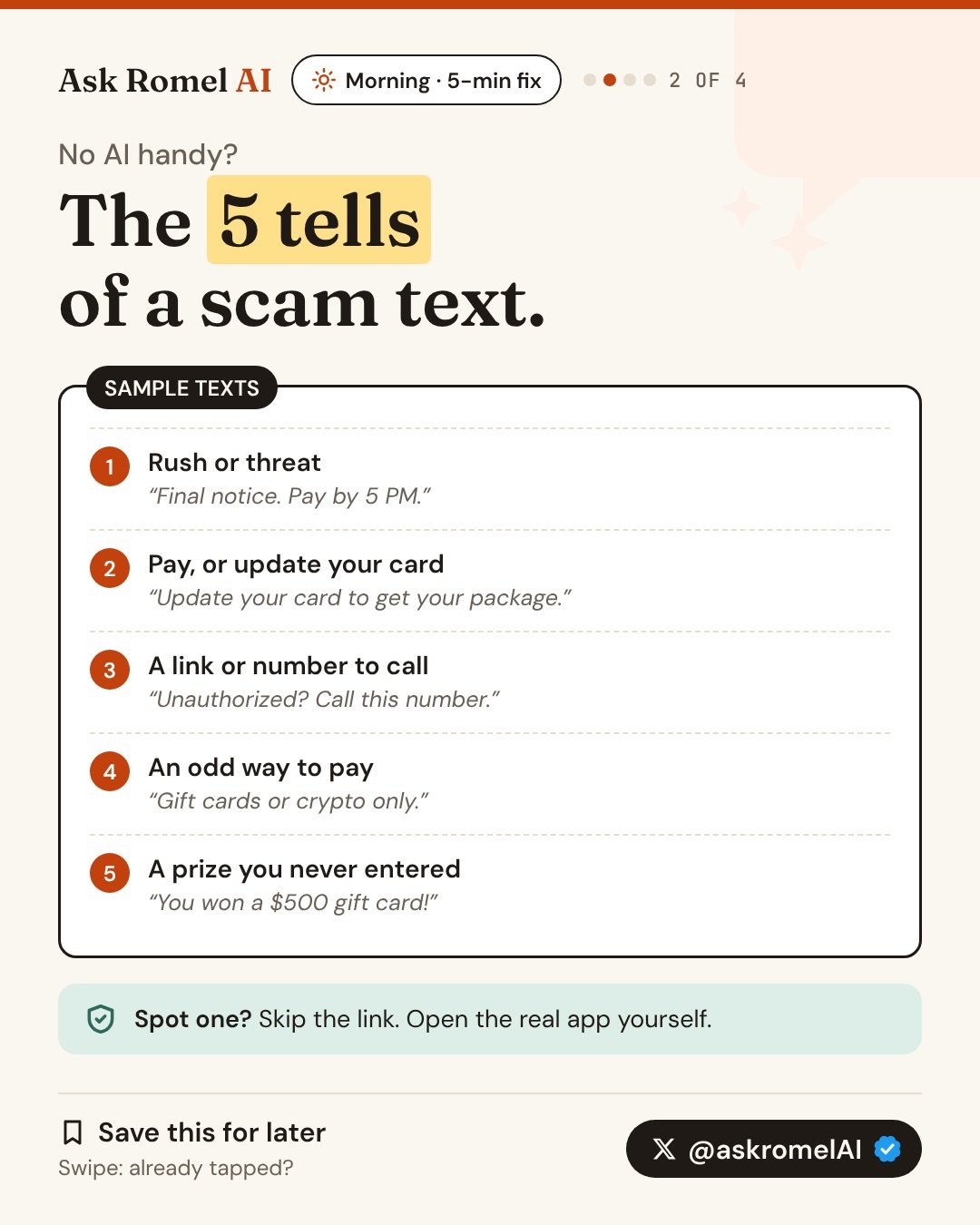
Good news: fake texts are not very creative. They use the same 5 tricks again and again. Learn these, and most fake texts give themselves away.

See one trick? Slow down. See two or more? It's almost surely fake.

  • 1
    It rushes you"Final notice. Pay by 5 PM."

    A deadline that gives you no time to check is part of the trick. A real company will still be there if you call them yourself.

  • 2
    It asks you to pay or update your card"Update your card to get your package."

    Getting your card number is the whole point of the text.

  • 3
    It gives you a link or a number"Unauthorized? Call this number."

    Both go to the scammer. Use the app or website you already have.

  • 4
    It wants a strange kind of money"Gift cards or crypto only."

    Real companies don't ask for gift cards or crypto. When a text does, it's almost always a scam.

  • 5
    It says you won something"You won a $500 gift card!"

    You can't win a contest you never entered. The prize is the bait.

But what if you already tapped the link? It can happen to anyone. Here's what to do.

NEXT · PART 03You already tapped. Now what?
Tap to enlarge

PART 03 OF 04

Already tapped

You already tapped. Now what?

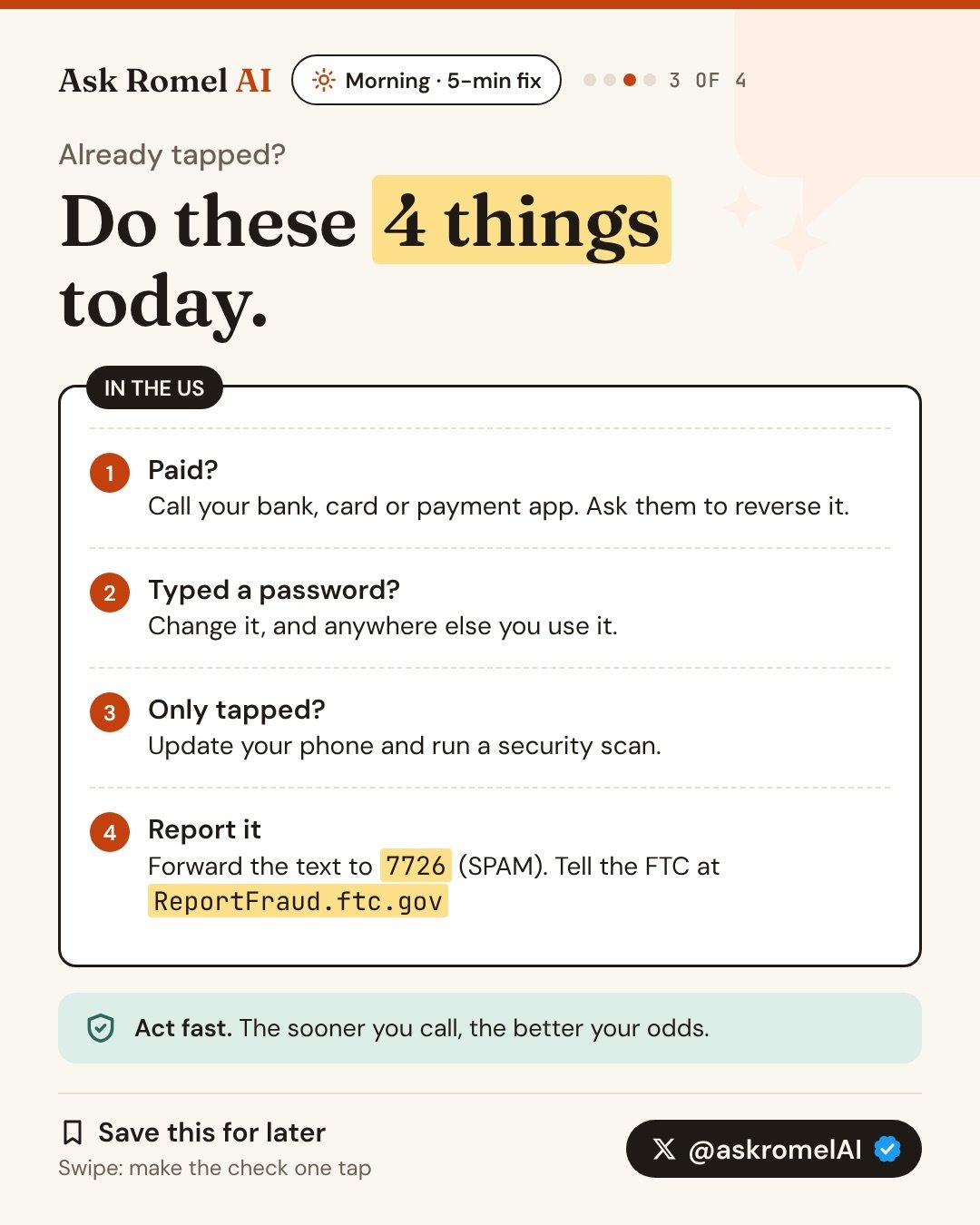
Don't panic. Tapping a link happens. Find the line below that matches what you did, then work down the list. Money comes first, because that's where speed matters most. These steps are for the US.

  • 1
    Did you pay?

    Call your bank, card or payment app right away. Ask them to reverse the payment.

  • 2
    Did you type a password?

    Change it now. Change it anywhere else you use the same password too.

  • 3
    Did you only tap?

    Update your phone and run a security scan.

  • 4
    Report it

    Forward the text to 7726 (it spells SPAM). Then tell the FTC at ReportFraud.ftc.gov.

But you don't want to go through all of this every time a weird text shows up. There's a faster way.

NEXT · PART 04How do you make this one tap next time?
Tap to enlarge

PART 04 OF 04

Next time

How do you make this one tap next time?

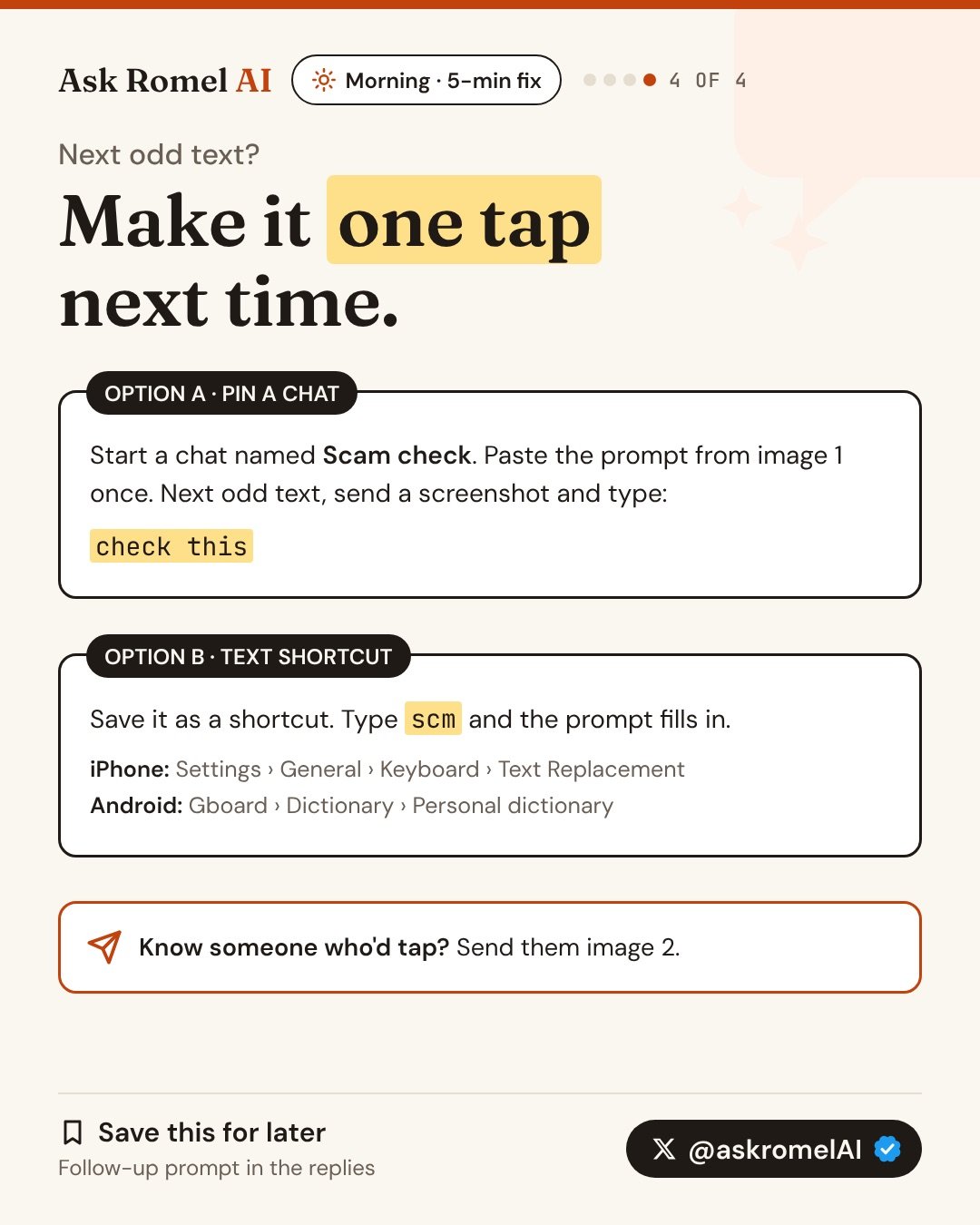
Part 1 works, but only if you remember the prompt. So set it up once, and you never have to remember it again. Pick one of these. Each takes about a minute.

Option A · Pin a chat

Start a chat in Claude called Scam check. Paste the prompt from Part 1 into it once. Next time a weird text shows up, send the screenshot to that chat and type:

The one-tap check
check this

Option B · A text shortcut

Save the Part 1 prompt as a keyboard shortcut. Then type scm, and the whole prompt appears.

  • i
    iPhone

    Settings › General › Keyboard › Text Replacement

  • A
    Android

    Gboard › Dictionary › Personal dictionary

That's the whole story. A weird text shows up, you take a screenshot, and you know in one tap.

Tap to enlarge

You finished the series. Get the next one in your inbox.

Join free for one useful AI tip a week, the Claude Glossary Playbook, and every tool on the site.

More series like this one land on X first.

Follow me on X for more

Free ebook: The Claude Glossary Playbook

Get it